


Cart is empty


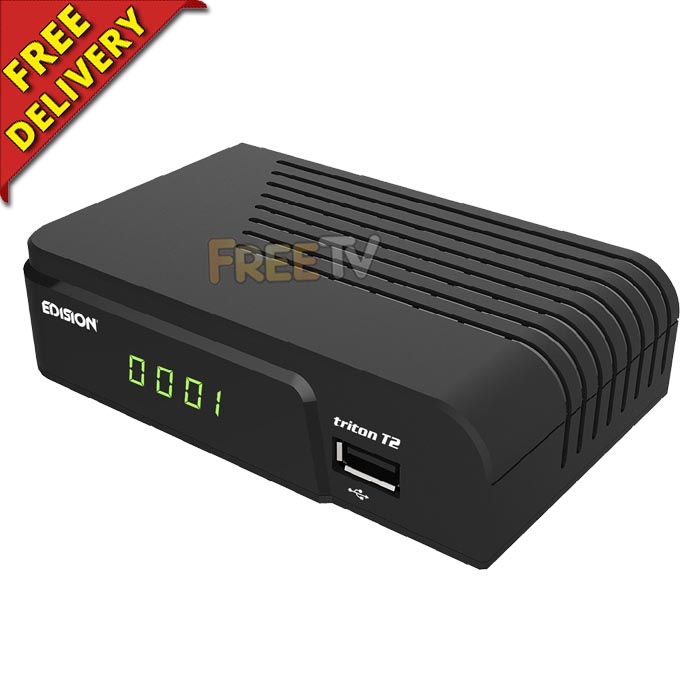
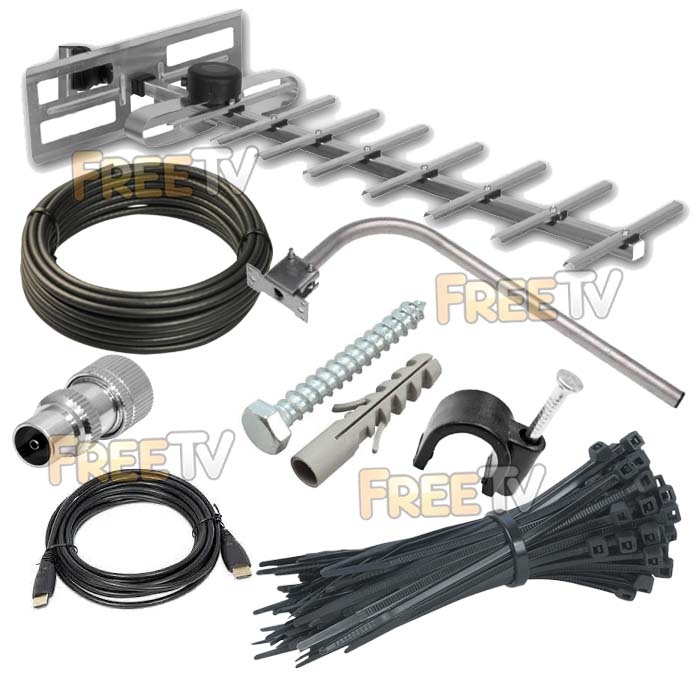
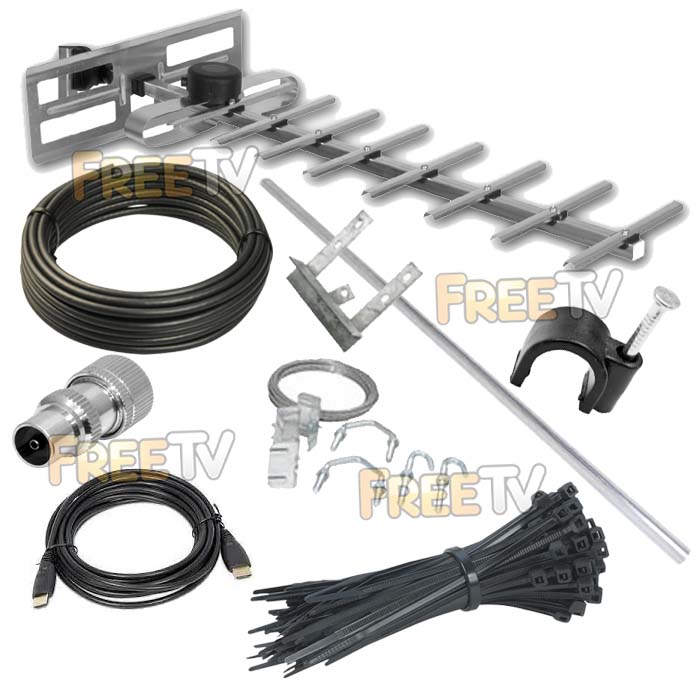



DESCRIPTION of Digital TV Receiver & TV Aerial Kit
A complete Kit which contains everything you need to receive the new Irish Digital Terrestrial stations
Kit consists of:
- HD Digital Terrestrial TV Receiver
- A Wideband UHF TV aerial
- A Wall or Chimney Mounted Bracket
- Complete Installation Kit of Cable, Connectors and Bolts
- Scart Cable (Default). Ask for HDMI (in customer notes during checkout) if you prefer this option
Key features of the High Definition Digital Terrestrial Receiver
- EPG: 7 Day Electronic Program guide
- MPEG 2/4
- High Definition
USES of Digital TV Receiver & TV Aerial Kit
- To receive the new the Saorview Digital Terrestrial Television (DTT) transmission
- Channels include
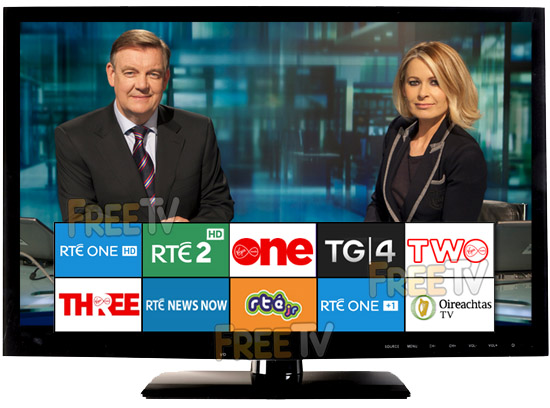
- RTE 1 HD, RTE2 HD, Virgin Media One, TG4, RTE News Channel
- Virgin Media Two, RTEjr, RTE One +1, Virgin Media Three, Oireachtas TV
- Note: Virgin Media channels replaced TV3 & 3e etc..
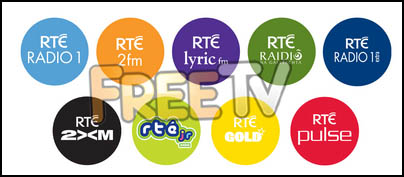
- Also includes digital radio channels from RTE
- Receiver comes with a high spec media player that can handle a range of formats
Advantages of Digital TV Receiver & TV Aerial Kit
- Kit contains everything (except the TV) needed receive the new Saorview channels
- The kit comes at a very competitive price
- Can handle standard and high definition Saorview transmissions
- It has a down-scale facility - allows you to receive HD broadcasts e.g. RTE2 HD on a Standard definition TV
- Is an extremely reliable model from a brand name company
- It is a relatively low cost item especially when compared to offical Saorview boxes
- The channels are listed sequentially i.e. 1-8 and the order can be changed
- USB port makes 'flashing' boxes and upgrading software very easy and quick
Model of receiver will vary depending on manufacturer
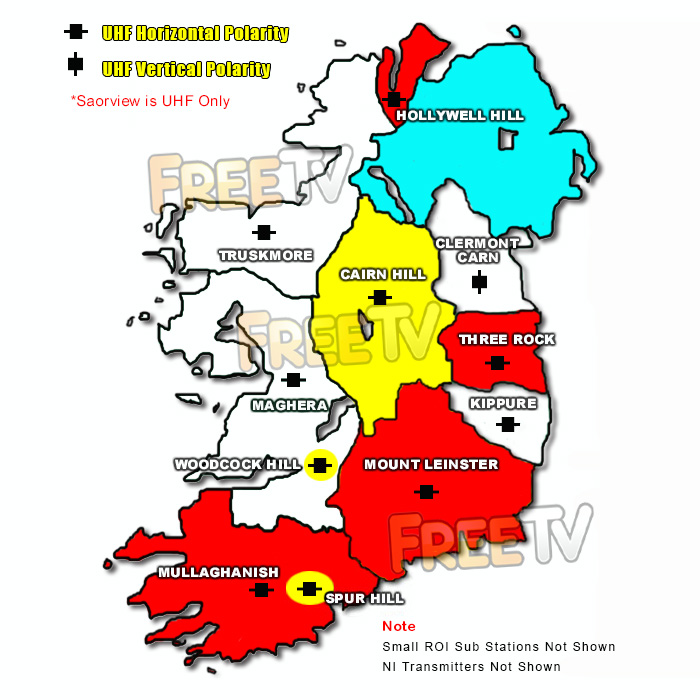
See map below for main Saorview transmitters in Ireland
The map shows the main Saorview transmitters, their coverage and the colour code (tip) of the best UHF aerial to use in that area
What TV Channels Can I Receive?
- Currently, it is possible to receive 10 Irish TV channels
What Radio Stations Can I Receive?
- Currently, it is also possible to receive some Irish digital radio stations
Additional Info
- Receivers with a DVB-T tuner, can receive the above Saorview channels
- Receivers that have a DVB-T2 tuner, can not only pick up the Saorview channels but also if along the border with Northern Ireland, can also pick up UK Freeview HD channels*
*Location dependent
Q: What is Irish Digital TV?
Irish digital TV also know as Saorview is the name given to Irelands new "Free to Air" Digital Terrestrial TV service. The service officially launched in Ireland on the 29th October 2010. It replaced the old analogue TV signal, which was turned off turned off on 24th Oct 2012
Q: What Channels are Available?
See the "List of Channels" tab for a full list
Q: Will I Need a New TV Aerial?
Maybe but possibly not. A good rule of thumb is that if you are currently getting good reception on the 4 Irish channels (especially TV3 & TG4) on an existing aerial, chances are you will not need to invest in a new Aerial. Indeed the equipment and installations are generally much simpler than with analogue systems where in Ireland we had historically the complication of VHF aerials & diplexers in certain parts of the country
Q: Will I Need a New Television?
You will need either
- A digtal terrestrial receiver (Miniumum spec: MPEG4 & HD) to work with your existing TV
- A Saorview approved (or at a miniumum an MPEG4 & HD) TV which can handle the Saorview transmissions
Q: What Is MHEG5? Is it Essential?
A receiver which has MHEG5 Middleware can recieve RTÉ’s Digital Aertel Service and also future proofs the receiver for down the line interactive services
Q: Is it Possible to receive Irish & UK Digital channels on a single receiver?
There are some Saorview Approved UK & Irish Combo Receivers on the market. There are also a host of generic Combo Receivers on the market
We aim to provide a fast, reliable & low cost delivery service
All orders we ship, leave our warehouse on time
- Standard Courier With Fastway (2-4 Working Days)
- Cost is €3.95 on Orders Below €100
- Free Delivery on Orders Above €100
- Express Courier (1-2 Working Days)
- With Fastway: Cost is €6.50 (or €2.50 extra if you qualify for free standard shipping)
- With DPD: Cost is €7 (or €3 extra if you qualify for free standard shipping)
- This service guarantees that any order placed before 4.30pm with Fastway or 3pm With DPD (Mon - Fri) will ship from our depot that same day on the express delivery service*
- *Orders placed after 4.30pm with Fastway or 3pm with DPD on Fridays & during weekends / bank holidays will be shipped the next working day
- An Post
- Cost is €2.50 (P & P)
- Available only on selected products with the An Post logo
- Small Parcels
- Cost is €3.50
- Available only on products with the small parcels logo**
- Great Britain
- Cost is €7.50
- Western Europe
- Cost is €10
- Belgium, France, Germany, Holland, Italy, Lithuania, Luxembourg, Spain, Portugal etc..
- Rest of Europe
- Cost is €20
- Croatia, Czech Republic, Estonia, Iceland, Malta, Slovenia, Switzerland, Norway, Sweden, Finland etc..
- Rest of World
- Cost is €30
- Please contact us before purchasing to confirm
Terms
- All shipping fee prices listed are ex-VAT @ 23%
- Irish shipping rates apply to the whole Island (North & South)
- Shipping fee is fixed for an order, regardless of the number of items bought
- All courier orders require signed proof of delivery and the customer must be contactable by phone
- We do not offer a weekend delivery service (Mon-Fri only excluding bank holidays)
- *Our courier achieves a 98% success rate on express deliveries
- ** Applies to island of Ireland only (North & South)
- Heavy or Large Parcels (Applies only to Non Irish or UK customers): It may be necessary to charge higher shipping fees / offer option to cancel order



